Search engines rely heavily on metadata to understand, index, and rank your website content. Without properly optimized meta titles, descriptions, and robots directives, even high-quality content can struggle to achieve its full visibility potential.
That’s why SEO Repair Kit includes Meta Manager, a powerful feature designed to simplify metadata management and help website owners optimize every page for search engines.
Whether you’re managing a blog, business website, online store, or agency portfolio, Meta Manager gives you complete control over your website’s SEO metadata from one centralized dashboard.
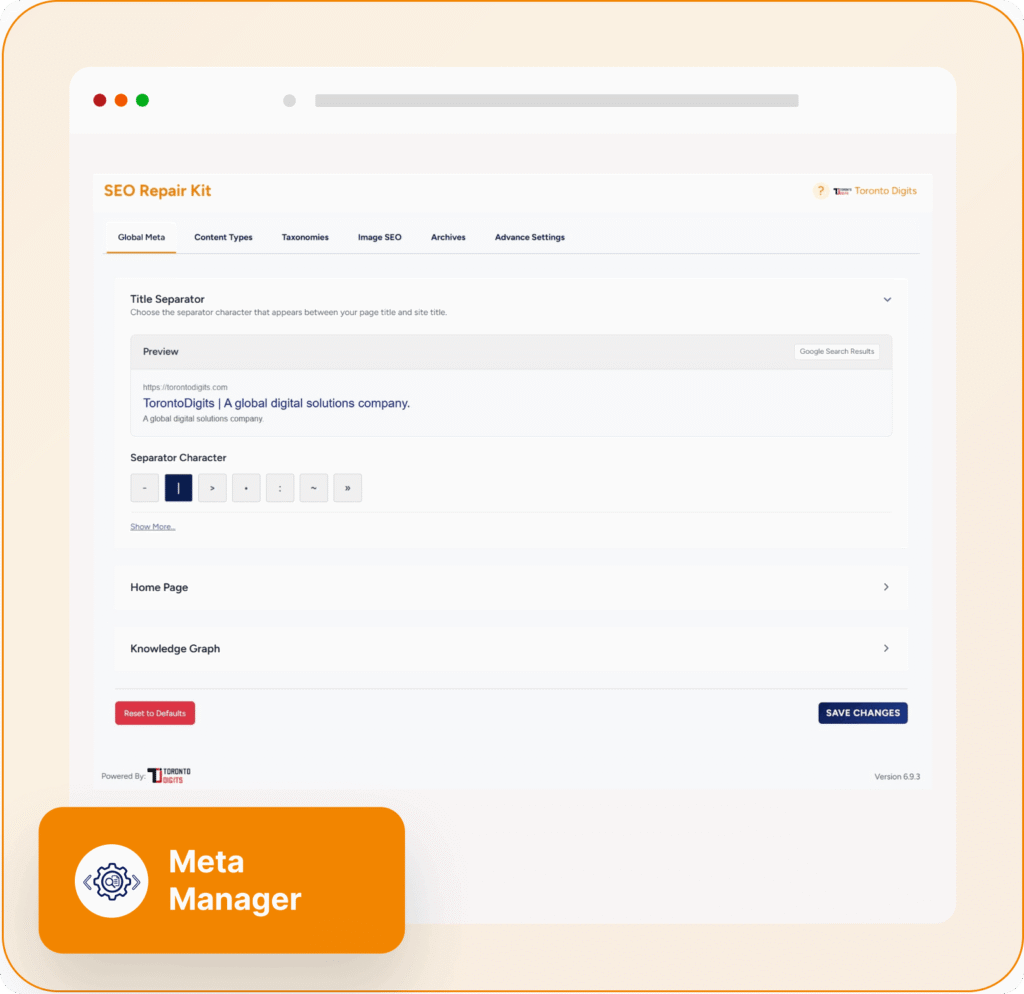
What Is Meta Manager?
Meta Manager is an SEO metadata management system within SEO Repair Kit that allows you to create, customize, and manage essential SEO elements across your entire website.
It helps you control:
- SEO titles
- Meta descriptions
- Robots directives
- Canonical URLs
- SEO templates
- Dynamic SEO variables
- Search result previews
Instead of manually editing every page individually, Meta Manager allows you to automate and standardize SEO metadata across your website while maintaining the flexibility to customize specific pages when needed.
Why Metadata Matters for SEO
Metadata plays a critical role in helping search engines understand your content.
Properly optimized metadata can help:
- Improve search visibility
- Increase click-through rates (CTR)
- Improve content indexing
- Prevent duplicate content issues
- Guide search engine crawling
- Enhance user experience in search results
A well-crafted title and meta description can often make the difference between a user clicking your result or choosing a competitor’s listing.
Key Features of Meta Manager
1. Centralized Metadata Management
Meta Manager provides a single location where you can control SEO settings across your website.
Instead of editing metadata page by page, you can manage:
- Posts
- Pages
- Custom post types
- Categories
- Tags
- Taxonomies
- Archive pages
This centralized approach saves time and ensures consistency across your entire website.
2. SEO Title Management
Page titles are one of the most important ranking signals in SEO.
Meta Manager allows you to:
- Create custom SEO titles
- Set default title templates
- Control title formatting
- Use dynamic variables
Optimized titles help search engines understand page topics while encouraging users to click your listing in search results.
3. Meta Description Optimization
Meta descriptions provide users with a preview of your content before they visit your website.
With Meta Manager, you can:
- Create custom descriptions
- Set automated description templates
- Maintain consistent messaging
- Improve search result appearance
Well-written descriptions can significantly improve click-through rates and attract more qualified visitors.
4. Dynamic SEO Templates
Managing metadata manually becomes difficult as websites grow.
Meta Manager solves this problem through dynamic templates that automatically generate metadata using variables such as:
- Post title
- Site title
- Excerpt
- Category name
- Author information
This ensures every page has optimized metadata without requiring manual input for each piece of content.
5. Robots Directive Control
Not every page should be indexed by search engines.
Meta Manager allows you to configure robots settings including:
- Index / Noindex
- Follow / Nofollow
- Max image preview settings
- Search appearance controls
This helps guide search engines toward your most valuable content while excluding pages that should remain hidden from search results.
6. Canonical URL Management
Duplicate content can create confusion for search engines and dilute ranking signals.
Meta Manager provides canonical URL controls that help:
- Consolidate ranking signals
- Prevent duplicate content issues
- Improve indexing accuracy
- Maintain SEO authority
Proper canonicalization ensures search engines know which version of a page should be prioritized.
7. Search Result Preview
One of the most useful features is the built-in search preview functionality.
Before publishing content, you can see how your page may appear in search results, allowing you to:
- Optimize title length
- Improve descriptions
- Enhance click appeal
- Maintain brand consistency
This helps ensure your listings look professional and attractive to potential visitors.
8. Gutenberg and Elementor Integration
Meta Manager integrates seamlessly with popular WordPress editors, including:
- Gutenberg Block Editor
- Elementor
- Classic Editor
This allows you to manage SEO metadata directly while creating or editing content, streamlining your workflow and improving productivity.
Common SEO Problems Meta Manager Solves
Missing Meta Titles
Pages without optimized titles often struggle to rank and attract clicks.
Meta Manager automatically generates SEO-friendly titles using customizable templates.
Duplicate Meta Descriptions
Large websites frequently have duplicate descriptions across multiple pages.
Dynamic templates help ensure unique and relevant descriptions throughout your site.
Incorrect Indexing
Some pages should not appear in search results.
Robots directives allow you to control which content search engines can index and crawl.
Inconsistent SEO Structure
Different authors often create inconsistent metadata styles.
Meta Manager standardizes optimization across all content types and sections of your website.
Benefits of Using Meta Manager
Improve Search Visibility
Optimized metadata helps search engines better understand your content and improve rankings.
Increase Click-Through Rates
Compelling titles and descriptions encourage more users to visit your website.
Save Time Through Automation
Dynamic templates eliminate repetitive manual optimization tasks.
Maintain SEO Consistency
Ensure every page follows your SEO strategy and branding guidelines.
Scale SEO Efforts Efficiently
Manage metadata for hundreds or thousands of pages without additional workload.
Who Should Use Meta Manager?
Meta Manager is ideal for:
- Bloggers
- SEO professionals
- Digital marketing agencies
- E-commerce stores
- Business websites
- Content publishers
- WordPress website owners
Whether you manage a small website or a large content platform, Meta Manager simplifies metadata optimization and improves SEO efficiency.
Best Practices for Using Meta Manager
To maximize results:
- Write unique SEO titles whenever possible
- Create compelling meta descriptions
- Use dynamic templates for scalability
- Configure robots directives carefully
- Review search previews before publishing
- Set canonical URLs for duplicate or similar content
- Regularly audit metadata performance
Following these practices helps improve both search visibility and user engagement.
Final Thoughts
Metadata remains one of the most important foundations of successful SEO. Search engines rely on titles, descriptions, canonical URLs, and robots directives to understand and rank your content effectively.
SEO Repair Kit’s Meta Manager simplifies the entire optimization process by providing centralized control, automation, dynamic templates, search previews, and advanced metadata settings in one easy-to-use interface.
If you’re looking to improve search visibility, increase click-through rates, and manage SEO metadata more efficiently, Meta Manager is an essential tool for building a stronger and more scalable SEO strategy.